Key Takeaways
- Legacy BMS controllers can often be diagnosed and repaired without the original vendor's software or support contract.
- The TAC Xenta 301 is an obsolete Schneider Electric controller – the programming software (TAC Menta) is no longer distributed, and the original installer had dissolved.
- We built custom diagnostic tools, fabricated our own serial cable, and reverse-engineered the communication protocol before discovering the real problem.
- The root cause turned out to be a simple cabling conflict – two communication cables connected where only one should be. Unplugging one cable restored the entire system.
The Problem
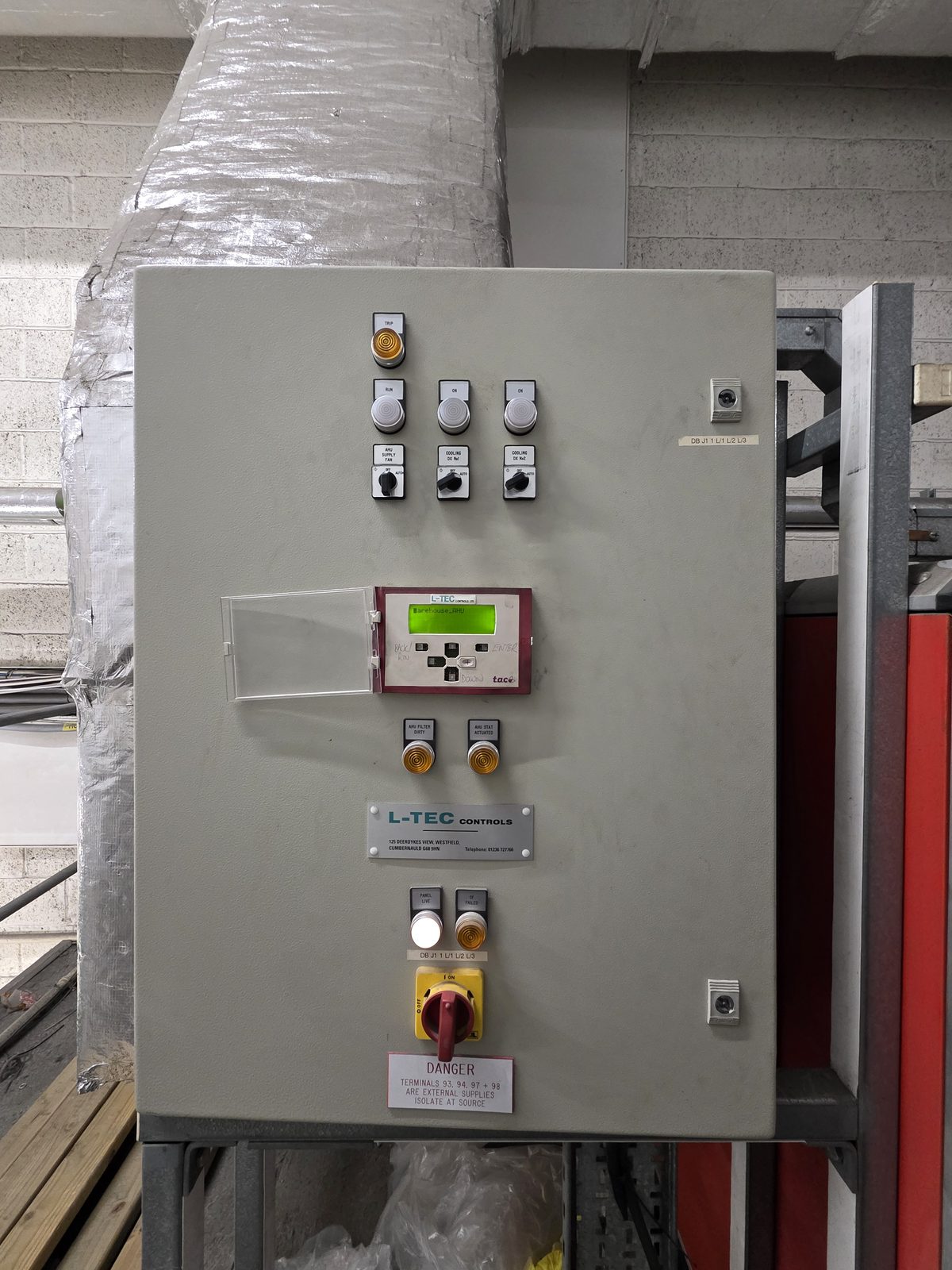
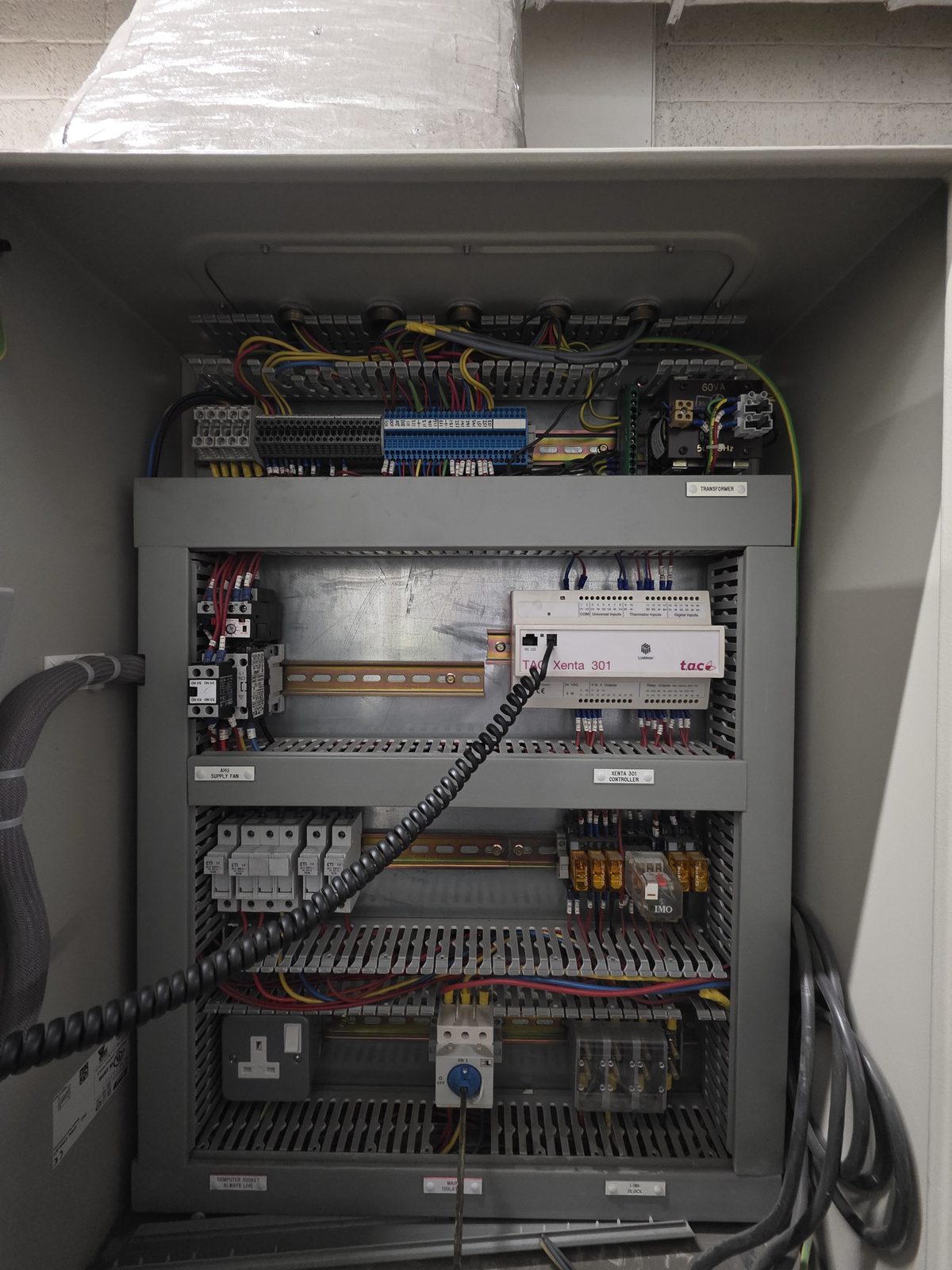
One of the buildings we look after has a TAC Xenta 301 controller managing the air handling unit. TAC was a Swedish controls company that was acquired by Schneider Electric years ago. The hardware is solid – these controllers run for decades – but the ecosystem around them has slowly disappeared.
The original installer, L-TEC Controls Ltd, dissolved in October 2020. No handover, no project files, no documentation left behind. The building had been running fine for years without anyone needing to touch the controls. Then one day the operator panel started showing “No connection.”
The Xenta OP is a wall-mounted display that lets building staff see temperatures, adjust setpoints, and monitor the plant. Without it, you're flying blind – the AHU runs on whatever programme was last loaded into the controller, but nobody can see what it's doing or change anything.
We contacted Schneider Electric. Their recommendation was straightforward: replace the entire system with modern EcoStruxure hardware. That's a five-figure project for what might be a simple fault. We decided to investigate first.
The Investigation
The TAC Xenta 301 has an RS232 serial port for programming and diagnostics. The catch? It uses an RJ11 jack – the kind you'd find on an old telephone – not the standard DB9 connector that most serial cables have. And the programming software, TAC Menta, is no longer available. Schneider stopped distributing it years ago, and it requires a physical USB dongle to run. Even if you could find a copy online, it would be useless without the licence key.
So we started from scratch.
Building the tools
We wrote a web-based diagnostic tool in Python – a serial terminal with auto-detection for COM ports, baud rate scanning, and hex/ASCII display. The idea was to connect to the controller's serial port and see if we could identify the communication protocol or read any configuration data.
Fighting the hardware
Our first USB-to-serial adapter turned out to have a counterfeit Prolific chip inside. Windows 11 has got very good at detecting counterfeit USB-serial chips – it blocks them at the driver level. The adapter would light up, but Windows refused to create a COM port for it. No amount of driver reinstallation would fix it. We switched to a genuine FTDI cable, which worked immediately.
Fabricating the cable
The next problem was physical. The FTDI cable has a male DB9 connector. The Xenta 301 has an RJ11 jack. There is no off-the-shelf adapter for this combination – the official TAC programming cable was a proprietary kit that's been discontinued for years.
We took an old RJ11 cable, cut the end off, identified the pinout with a multimeter, and spliced it onto a DB9 female breakout connector. Three wires: transmit, receive, and ground. We tested it with the scanner tool and got a response – the controller was echoing back every byte we sent.
The dead end
With the serial link confirmed working, we tried everything we could think of. Text commands, hex codes, Modbus RTU frames, escape sequences, control characters. The controller echoed all of it back, byte for byte. It was alive and listening, but it only speaks TAC Menta's proprietary binary protocol. Without that software, the RS232 port is effectively a mirror – it reflects everything you send but never answers.
We started looking into alternative approaches. LonWorks USB interfaces, NodeUtil diagnostic software, even contacting Schneider partners who might still have legacy tools. The costs were adding up and the complexity was growing.
The Breakthrough
Then we went back to basics.
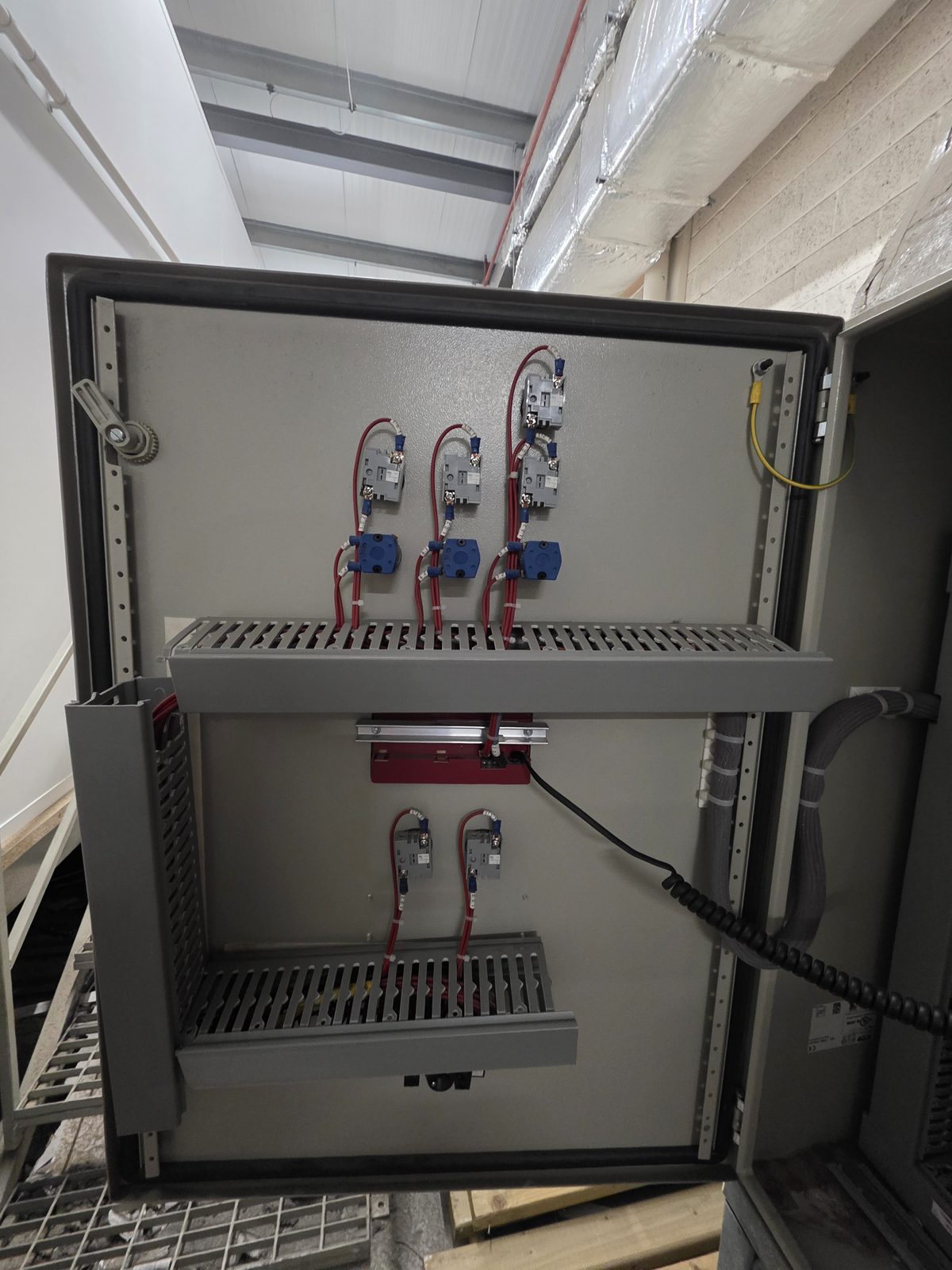
The Xenta OP can communicate with the Xenta 301 controller in two ways: over the LonWorks network via a twisted-pair cable (known as C1/C2), or over a direct serial connection via an RJ11 cable. Most installations use one or the other. This one had both connected.
We started testing systematically. We disconnected the C1/C2 cable, leaving only the RJ11 – full menu appeared on the OP, live temperatures, setpoints, everything working. We reconnected C1/C2 and disconnected the RJ11 – again, full menu, everything working. We connected both – “No answer.”
That was it. The controller cannot handle both communication paths simultaneously. With two cables connected, it gets confused and stops responding to either one. The system had probably been working for years on a single cable, and at some point someone connected the second one – maybe during a maintenance visit, maybe while troubleshooting something else entirely. From that moment on, the OP lost communication.
The Fix
Unplug one cable. That's the entire fix.
We confirmed the OP was configured for TAC mode (direct serial), so we left the RJ11 cable connected and removed the C1/C2 LonWorks cable. The operator panel immediately showed the full plant status: supply fan running, heating valve at 100%, dampers at minimum fresh air, frost stat healthy, all three temperature sensors reading correctly.
The AHU had been running on its last programme the whole time – maintaining temperatures, cycling the fan, protecting against frost. The controller never had a fault. It was just being asked to listen on two phones at once.
Why This Matters
There are thousands of legacy BMS controllers like this one still running in buildings across the UK. TAC Xenta, Trend IQ, Satchwell Sigma, Honeywell Excel – robust hardware that keeps doing its job long after the software tools and the companies that installed them have disappeared. When something goes wrong, the default advice is usually “rip it out and start again.”
Sometimes that is the right answer. But often, the problem is much simpler than it looks. A loose wire, a misconfigured address, a cable that shouldn't be there. The challenge isn't the fix – it's having someone willing to investigate before reaching for the chequebook.
In this case, the investigation took us through custom software development, serial protocol analysis, cable fabrication, and driver debugging. All of that was genuinely useful – we now have tools and knowledge that will help on the next legacy BMS job. But the actual root cause was a physical cabling conflict that took thirty seconds to resolve once we understood it.
That's the nature of troubleshooting. You don't get to skip to the answer. You have to work through the problem methodically until it reveals itself. The trick is not giving up when the first three approaches don't work.
Got an Orphaned Controller?
If you've got a building management system that's lost communication, an operator panel showing errors, or a controller that nobody knows how to programme any more – this is exactly the kind of work we do. Whether it's TAC, Trend, Satchwell, Honeywell, or something else entirely, we can investigate before anyone starts talking about replacements.
No unnecessary complexity, no five-figure quotes for a new system when the old one just needs a cable unplugged.
Get in touch – contact@engineeringsupport.uk or visit our contact page.